“Framing went good. Need to come back.”
The area, quantity, condition, unresolved decision, responsible person, and next date are missing.
Before you pull away, say these seven things. Use your phone recorder or Ardaro, then review names, numbers, requests, and approvals before saving or sharing.
Use the recorder already on your phone or follow Ardaro's prompts. The phrase “60-second” describes the compact script—not a completion-time promise. Review the result before saving or sharing it.
Job and exact work area
Name the job and the exact room, elevation, unit, system, or work area.
Who was there
Identify the crew, subcontractors, customer, inspector, or other people present.
Work actually completed
State only the work completed and any reviewed measurements or quantities.
Change or blocker
Describe the condition, request, access issue, delay, or scope question without guessing.
Known cost or schedule effect
State the known impact, or say that the impact is not known yet.
Approval and supporting evidence
Separate a request from an approval and identify the related photo, file, message, or signature.
Next action, owner, and timing
Name the next step, the person responsible, and the expected date or time.
Fill each blank in plain language. If an impact or approval is unknown, say that instead of filling the gap with an assumption.
Job and area: ____. On site today: ____. Work completed: ____. Change or blocker: ____. Known cost or schedule effect: ____ or not known yet. Approval and evidence: ____. Next action, owner, and timing: ____.
This deck-job example is fictional. It is not a customer record, testimonial, or proof that speech recognition captured every word correctly.
Spoken note: “Job and area: Miller deck, north ledger at the kitchen wall. On site today: Sam and Luis from seven to two-thirty. Work completed: removed eighteen linear feet of old ledger and installed the new ledger at the reviewed elevation. Change or blocker: deteriorated rim material at the northeast corner needs evaluation. Cost or schedule effect is not known yet. The customer asked whether the landing can move twelve inches; that is a request, not an approval. Evidence is photos seventeen through twenty-two. Next action: Brent reviews the rim condition and landing request by Tuesday before the crew closes that area.”
Editable fields to review: exact area; crew and hours; completed work and quantity; unexpected condition; impact unknown; customer request not approved; photo references; next action, owner, and date.
The area, quantity, condition, unresolved decision, responsible person, and next date are missing.
It identifies the exact area, reviewed quantity, hidden condition, customer request versus approval, photo evidence, and assigned next action.
A transcript is a draft. Compare it with what happened, the source documents, and any written approval before it becomes part of the job history.
The screenshot is from the real Ardaro backend using a synthetic demo workspace. The on-page transcript below keeps the proof understandable without loading the image or video.
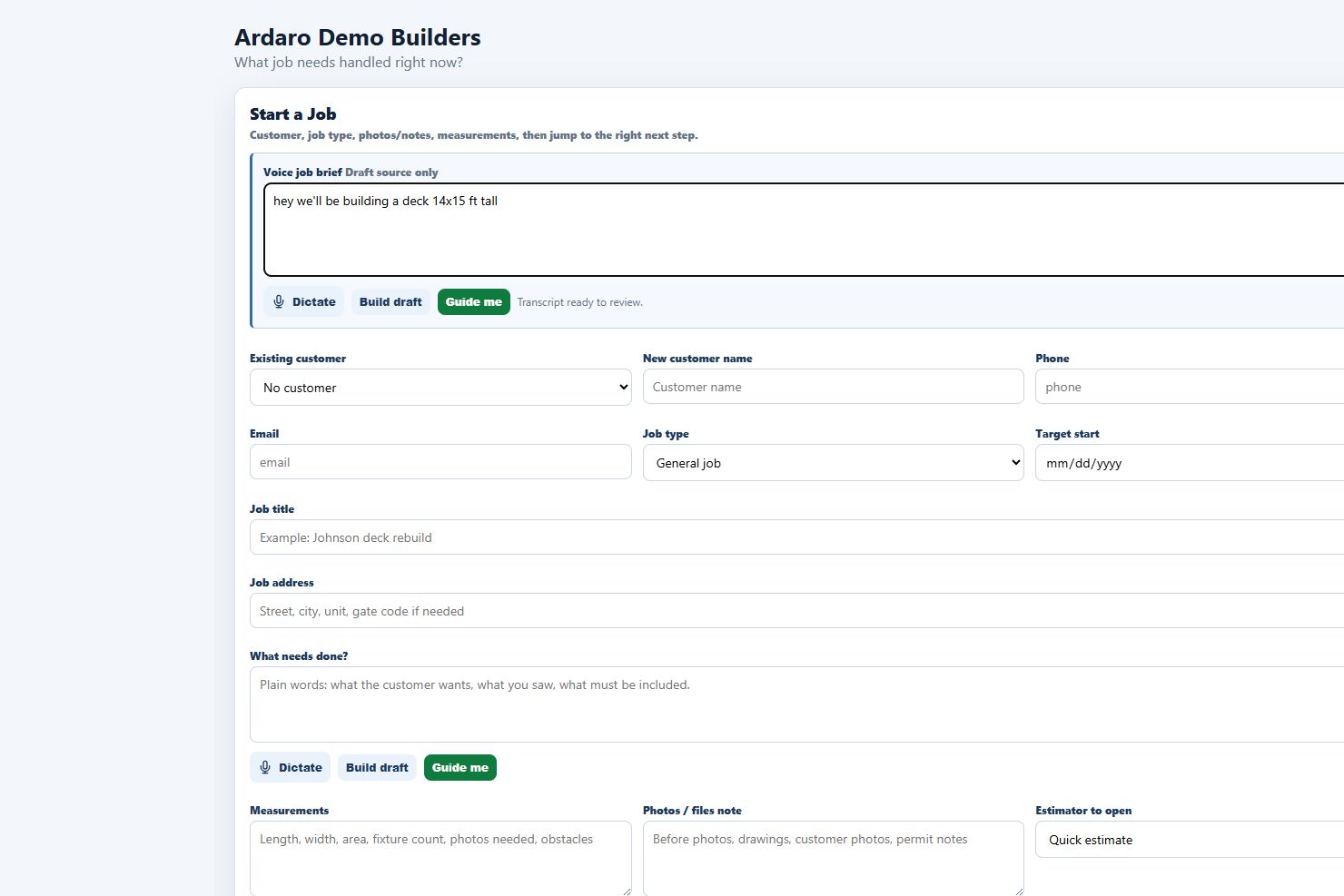
Watch the real speak → review → save workflow.
After the contractor saves and chooses what to publish, customer-visible project updates can be shared without exposing the contractor's internal job information.
These boundaries describe Ardaro's deployed voice-entry implementation. They do not describe a third-party recorder or every speech service.
A compatible browser requests microphone permission. The browser, operating system, or its speech provider may process the microphone audio. Ardaro does not receive or store microphone audio in the deployed implementation.
Ardaro receives the speech-derived editable text for in-memory draft analysis. Availability and accuracy depend on the browser, device, microphone permission, network, and speech provider. Typing remains available when dictation is unavailable or is not the right choice.
Speech can reduce manual entry and help capture details while they are fresh. Ardaro turns the speech-derived text into an editable draft that the user reviews before explicitly saving.
Voice does not verify measurements, settle scope, or create approval. It cannot replace contracts, signatures, inspections, safety records, formal approvals, licensed professional judgment, or the user's review.
Bring one ordinary job workflow. In 15 minutes, Brent can show where speaking, reviewing, and saving may fit—and where it does not. This is a product fit conversation and demonstration, not a free trial, free implementation, discount, promise of savings, or approval of a job record.